
Ozil AI Video Generator
Turn One Photo Into the Iconic Ozil Goal
Upload one clear photo and recreate the famous chip, the sliding defenders, and the finish in a share-ready football video.
- 15-Second MP4
- Vertical 9:16
- Up to 1080p
- Stadium crowd sound
- No Watermark
Preview your photo for free · Video packs from $9.90
- 01Upload a photo
- 02Choose quality
- 03Get your MP4
Start with one photo
15 seconds · MP4 · Failed jobs return the exact credits charged
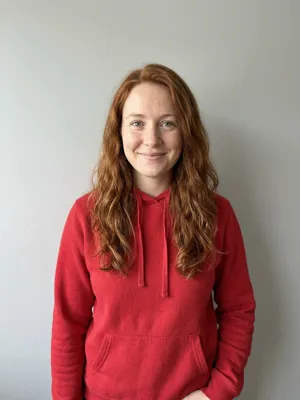
Your download: 15s · Vertical MP4 · Stadium crowd sound · No watermark
Ozil AI goal video examples
See our Ozil AI video examples: office shirt, hoodie and football kit. Explore different looks for your own goal video.
- No. 11
Office shirt 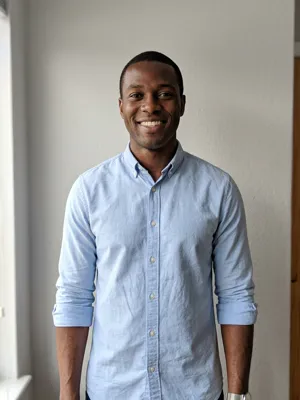
Photo in - No. 12
Hoodie Photo in - No. 13
Five-a-side kit 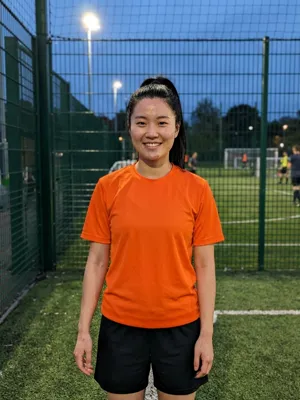
Photo in
Choose your look, upload your photo, and make the goal your own.
What is the Ozil goal AI trend?
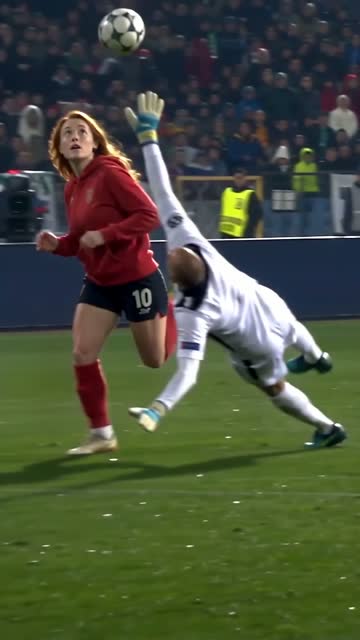
On 1 November 2016 Mesut Özil scored the winning goal for Arsenal against Ludogorets. AI edits reinterpret the run, chip and finish with another person. The original match highlight is real; a photo-based AI recreation is fictional. Learn how the different editing methods work.The Ozil AI trend, explained.
- 0–2 sThe keeper rushes out
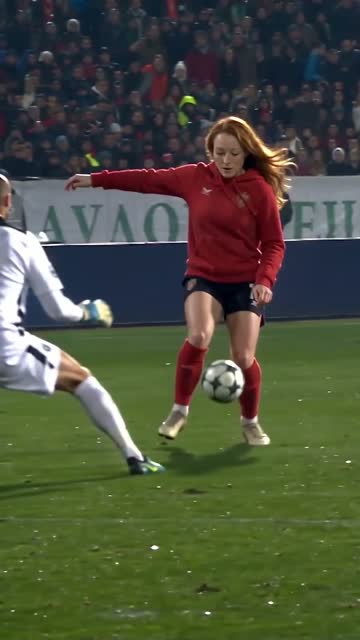
- 2–4 sChip over the dive
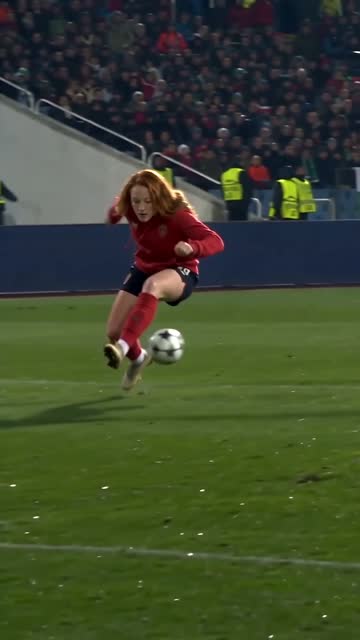
- 4–7 sControl on the bounce
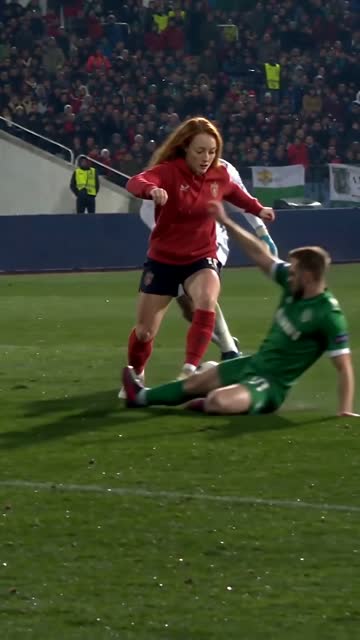
- 7–12 sThe defenders slide past
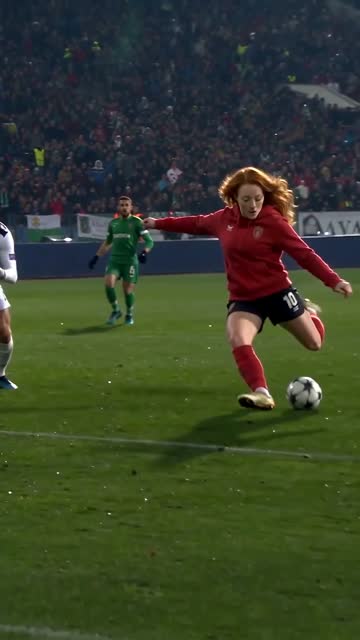
- 12–15 sInto the empty net
How to make the Ozil AI goal video
Upload one photo
A clear, front-facing photo of one person.
Follow the prepared motion
The model uses your photo and a motion reference. Likeness and exact movement can vary.
Download and post
Review your MP4 with its stadium crowd sound, download it, and share your goal. Label your edit AI-generated.
Photo tips
Works best
- One person
- Face clearly visible
- Even light
- Full body or waist up
Avoid
- Celebrity photos
- Group photos
- Sunglasses or masks
- Tiny photos (under 300 px)
Which workflow fits your Ozil AI video?
| Compare | Our motion preset | Face overlay | Photo + text video | Custom motion control |
|---|---|---|---|---|
| What goes in | one photo | one photo | photo + prompt you write | one photo |
| What you get | motion-guided AI recreation | your face over the original clip | a newly imagined scene | an edit guided by your reference |
| Your clothes and build | guided by photo; may vary | no, face only | varies | varies |
| Cost | From $9.90 · one-time packs | depends on editing tool | depends on model and settings | depends on provider and duration |
Compare a real preview, the full export price and the treatment of failed jobs. A face overlay and a newly generated body are different workflows; no method guarantees an exact likeness.
Pricing
One-time packs. No subscription. Credits never expire.
Starter
Includes
- 10 credits · 1 video at 480P
- 15 seconds each · 9:16 vertical
- 480P output
- No watermark
- Credits never expire
- Failed renders refunded automatically
Plus
Includes
- 30 credits · 3 at 480P, or 1 at 720P + 1 at 480P
- 15 seconds each · 9:16 vertical
- 480P or 720P output
- No watermark
- Credits never expire
- Failed renders refunded automatically
Creator
Includes
- 80 credits · 8 at 480P, 4 at 720P, or 2 at 1080P
- 15 seconds each · 9:16 vertical
- 480P, 720P or 1080P output
- No watermark
- Credits never expire
- Failed renders refunded automatically
FAQ
Can I make an Ozil AI video for free?
Our guides and photo preview are free. Video generation uses credits: Starter is $9.90 for 10 credits, Plus is $19.90 for 30 credits, and Creator is $49.90 for 80 credits. Each 15-second video uses 10 credits at 480P, 20 at 720P, or 40 at 1080P. Choose a pack based on your preferred quality and number of edits.
How long does it take?
Processing time varies with the provider queue. Return to the generator while signed in to check your latest job. Download completed videos within 30 days.
Will it look like me?
Your photo guides the appearance, but an exact match is not guaranteed. Use one clear face with even lighting and check for changes during movement.
Can I use a friend's photo?
Only with their permission. Don't upload photos of children or of people who haven't agreed.
Why was my photo rejected?
Check the file size, format and visible subject first. The provider may also reject an input. A confirmed failed job returns reserved credits; a pending job needs a status check before retrying.
Can I post it on TikTok?
Yes. Review and download your result before posting. The video includes stadium crowd sound. Label it AI-generated. Vertical 9:16 framing fits TikTok, Reels and Shorts.
Is this connected to Mesut Özil or any club?
No. Ozil AI is an independent fan tool, not affiliated with Mesut Özil, any club, league or broadcaster.